HERO · The browser layer

Run the fleet from any browser.

HERO is where operators work: live machine status, sales and revenue, alarms, reports with Excel and PDF export, remote configuration and historical analysis — on Windows, macOS, Linux, Android, iPhone or a tablet, with nothing to install.
No install Any device Live status
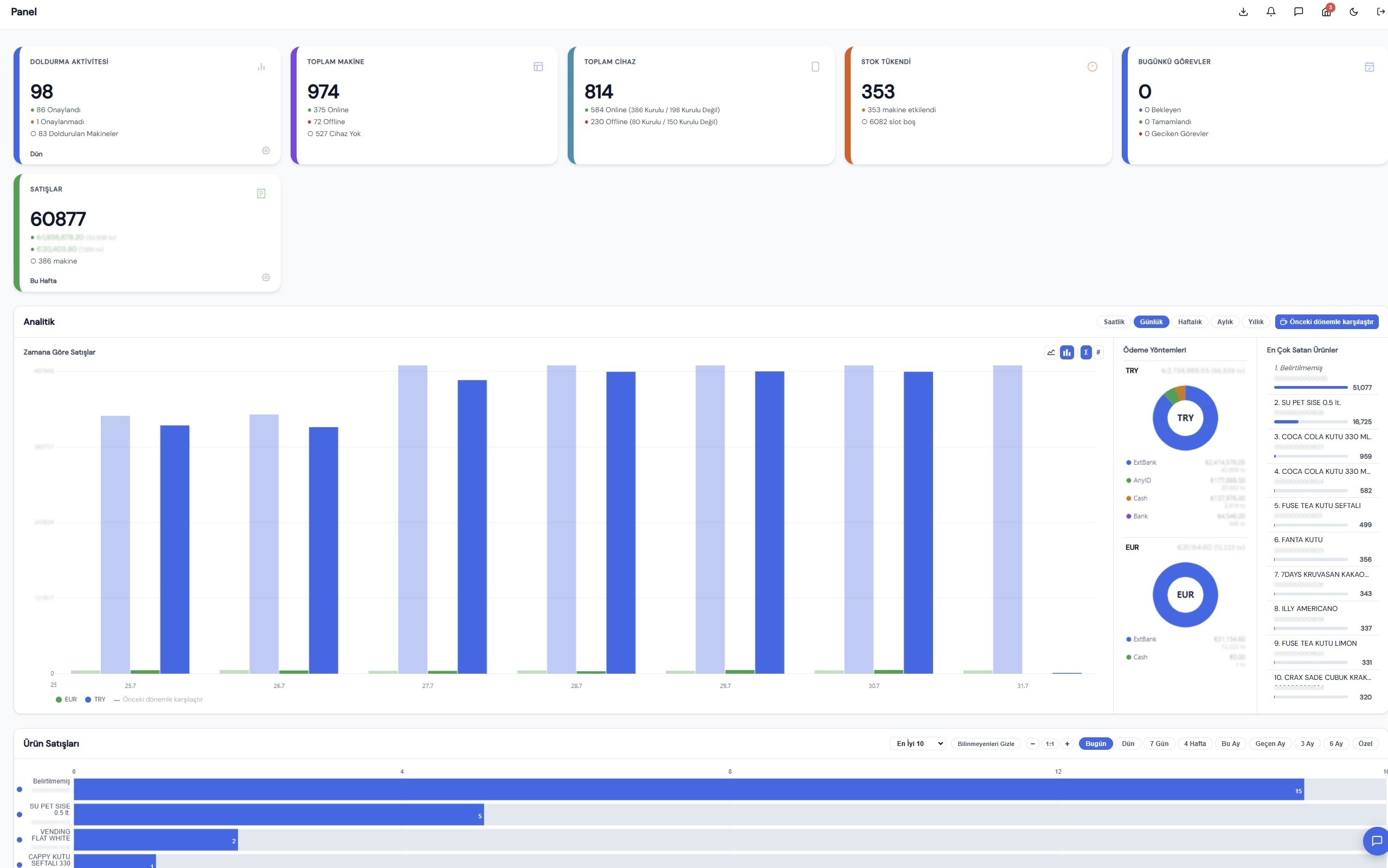
HERO Panel · live fleet
ACTUAL SCREENSHOT
HERO panel screenshot: refill activity, total machines and payment devices, out-of-stock count and weekly sales tiles above a daily sales chart, a payment-method breakdown by currency, a best-selling products list and a per-product sales bar chart.
Not a mockup: HERO in a browser on a working fleet. Product barcodes and the operator's revenue figures are blurred out; nothing else in the frame is retouched — the colours are the product's own, not the website's.

Runs anywhere

A browser is the only requirement

HERO is a web application, not a program to roll out. Any modern browser on any operating system opens the same live fleet — no client to install, update or license per seat.

  • Windows
  • macOS
  • Linux
  • Android
  • iPhone
  • Tablet

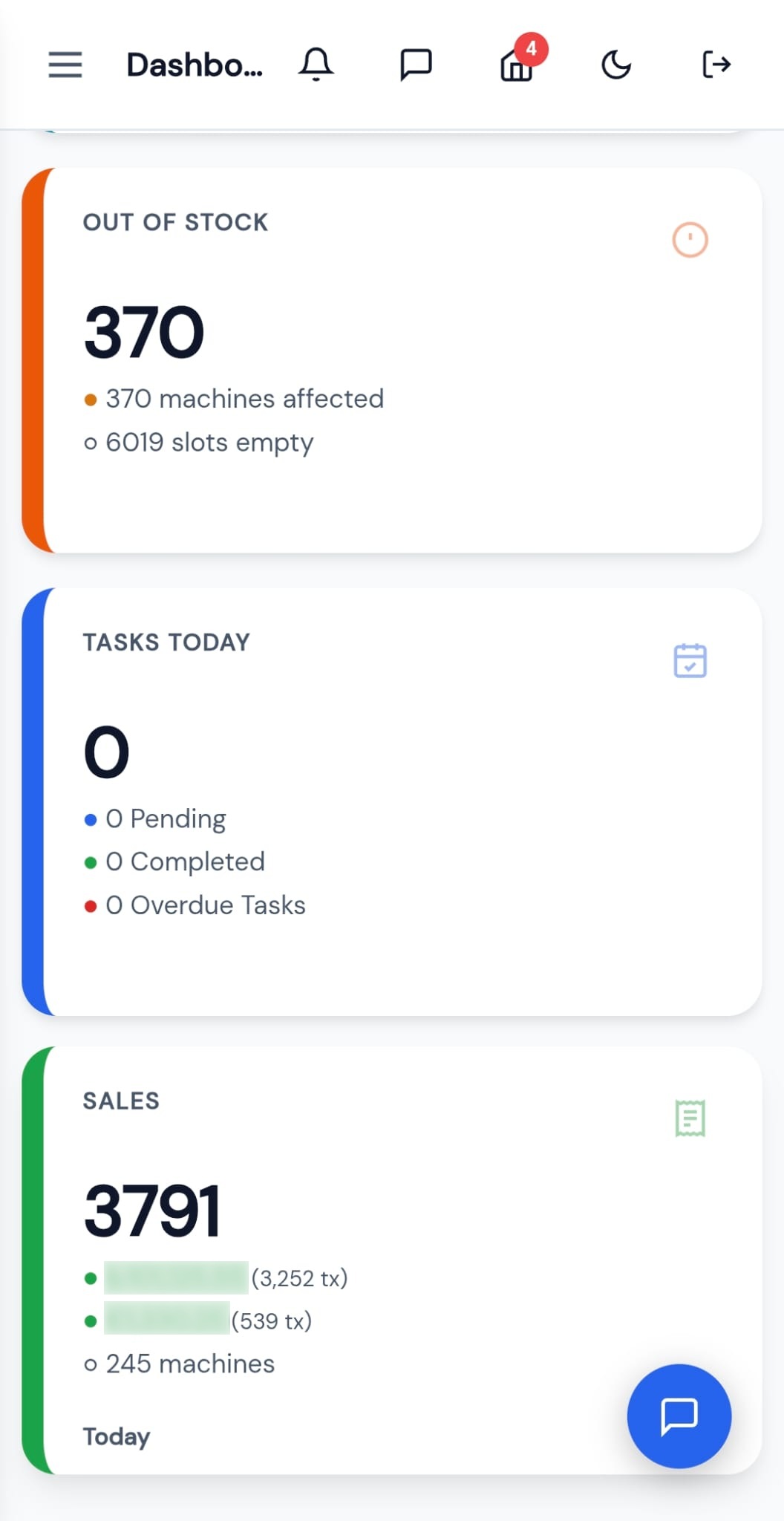
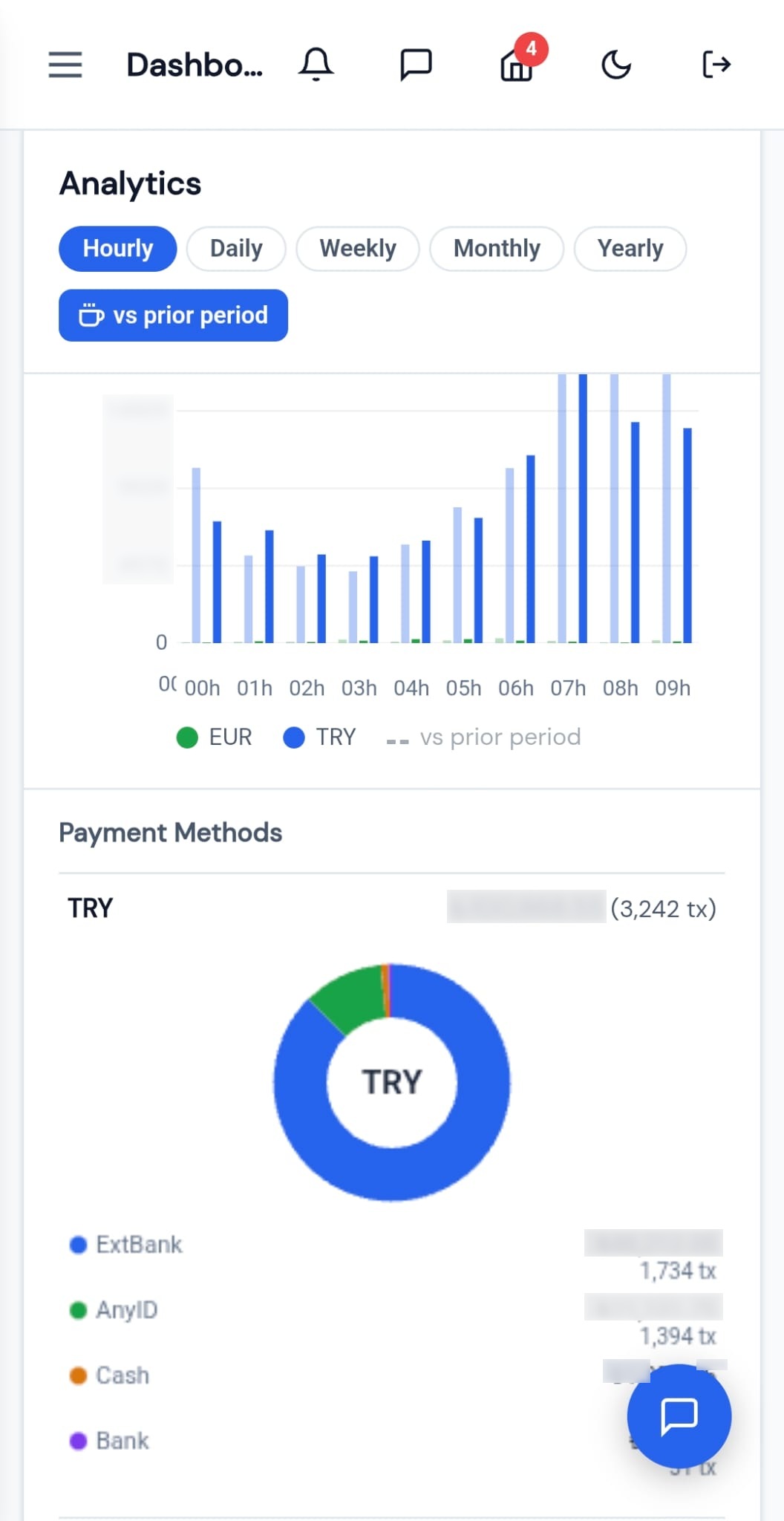
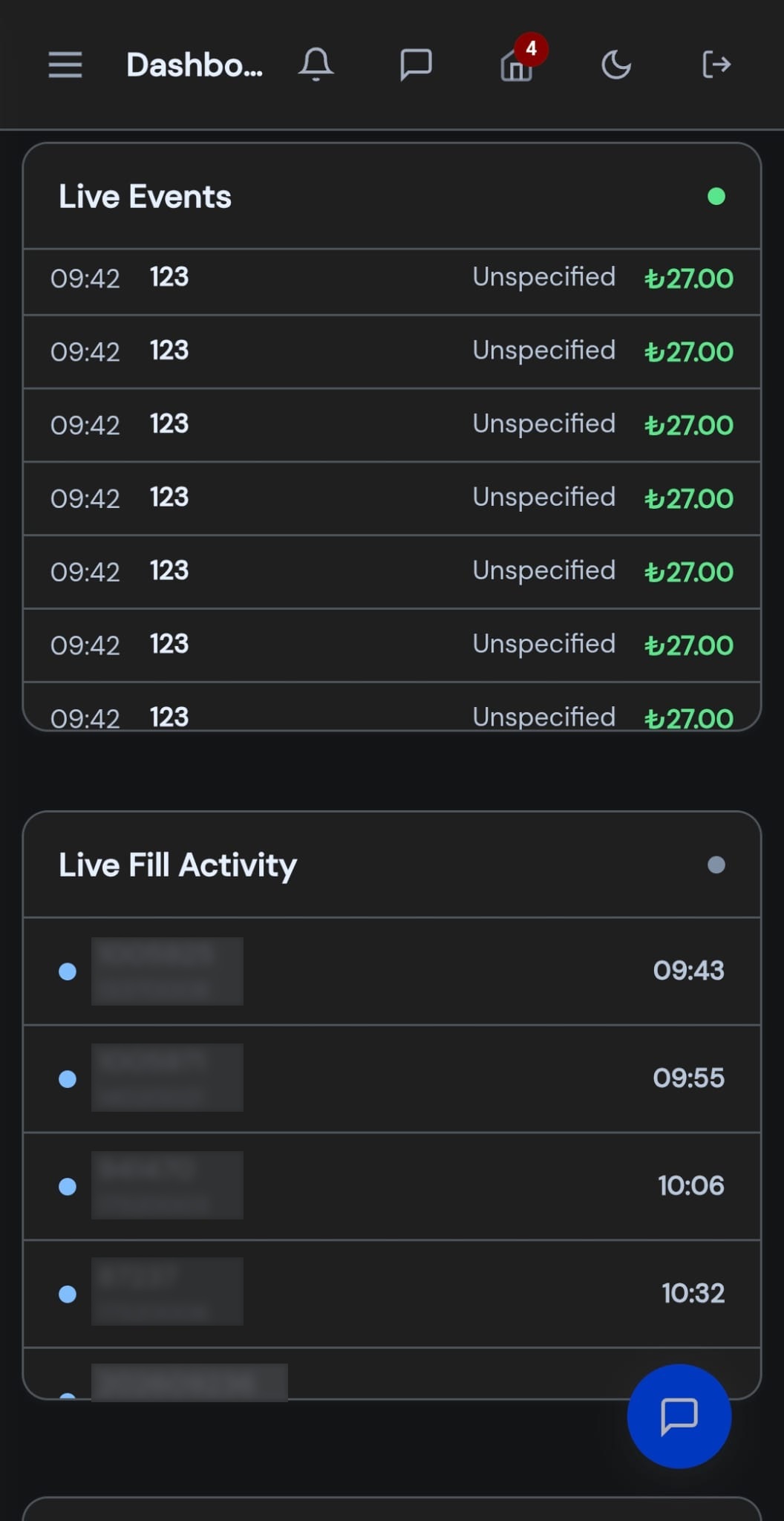
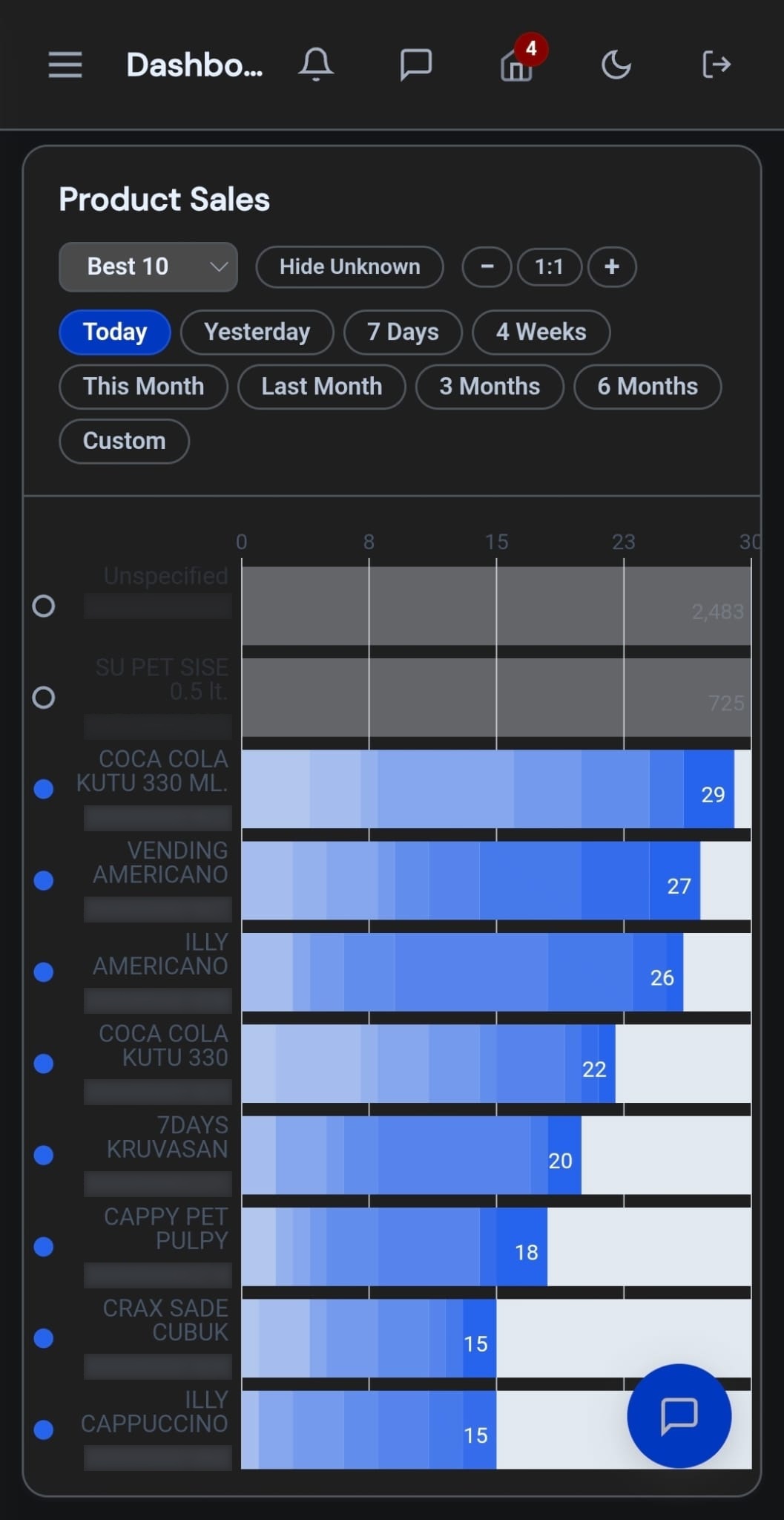
The panel is responsive: one URL that re-lays itself out for whatever screen opens it — phone, tablet or desktop. No separate mobile app, no separate mobile site, nothing to keep in sync. Field staff on a phone and head office on a desktop see the same fleet, live. Day and night mode are switched from inside the panel, so the same screen stays readable on a route in direct sunlight and in a dim warehouse at six in the morning.

HERO The same panel · on a phone
ACTUAL SCREENSHOTS
  • HERO on a phone: stacked summary cards for out-of-stock machines, today's tasks and today's sales.

    The day at a glance · day mode

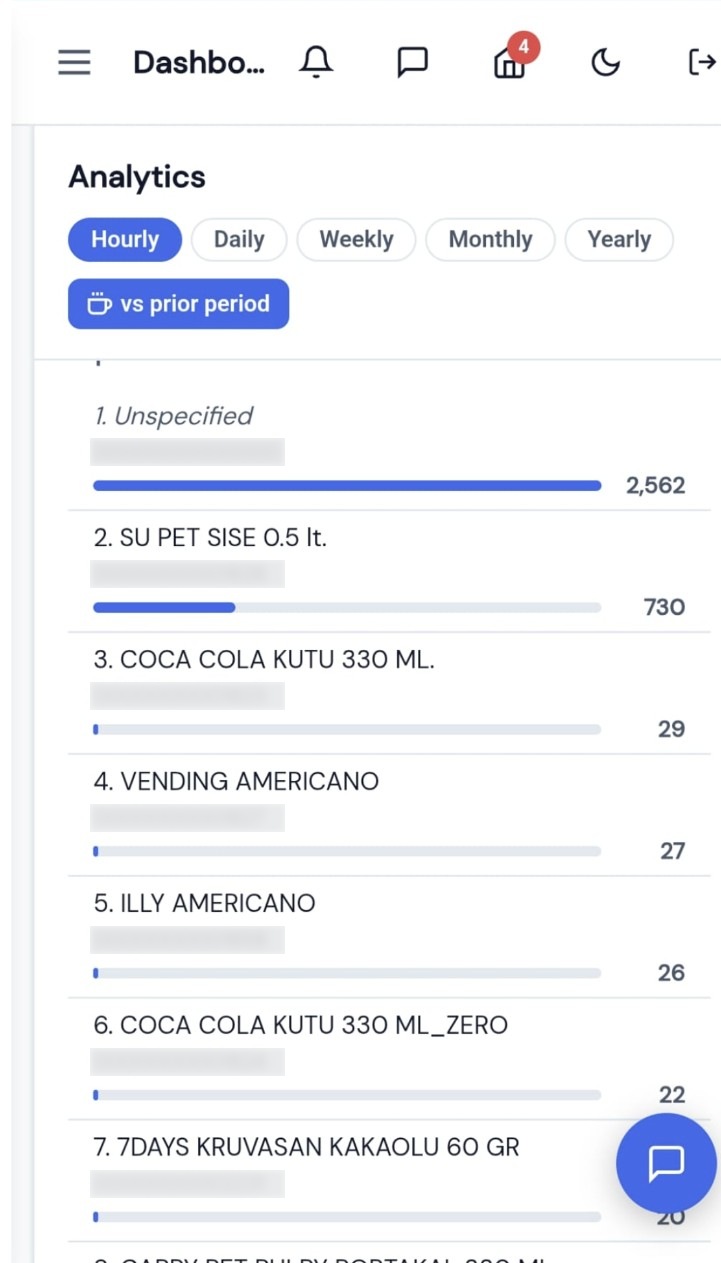
  • HERO on a phone: an hourly sales chart comparing today with the prior period, and a payment-method breakdown by currency.

    Hourly sales, payment mix · day mode

  • HERO on a phone in dark mode: a live event feed of sales as they happen, above a live refill activity list.

    Live event feed · night mode

  • HERO on a phone in dark mode: units sold per product today, drawn as a ranked bar chart.

    Sales by product · night mode

  • HERO on a phone in day mode: the same product ranking as a numbered list, each row with its units sold.

    Same ranking · day mode

All five come from one URL on one fleet — the desktop screen is not a different product from the phone screen, and the two dark ones are the same panel with night mode on. Revenue figures, device serial numbers and product barcodes are blurred; the layout, the colours and the numbers that are left are the panel's own.

What operators do in HERO

See the fleet, then act on it

Everything an operator needs on one screen — status to spot a problem, data to plan a route, and controls to fix a machine without leaving the desk.

Live fleet status Online and offline at a glance, with live status dots — see a machine drop the moment it happens.
Sales & revenue Revenue by machine, group and day, so you know what is selling and what is idle.
Alarms Faults, offline machines and low stock surface immediately, ranked by severity.
Reports & export Every report exports to Excel and PDF for accounting, routes and management.
Remote configuration Change prices, planograms and machine settings from the browser — the change ships over the air.
Historical analysis Trends over time, not just the current moment: compare days, machines and locations.

See HERO on your fleet

We'll walk you through HERO with a fleet like yours — the status board, the reports and the remote controls.